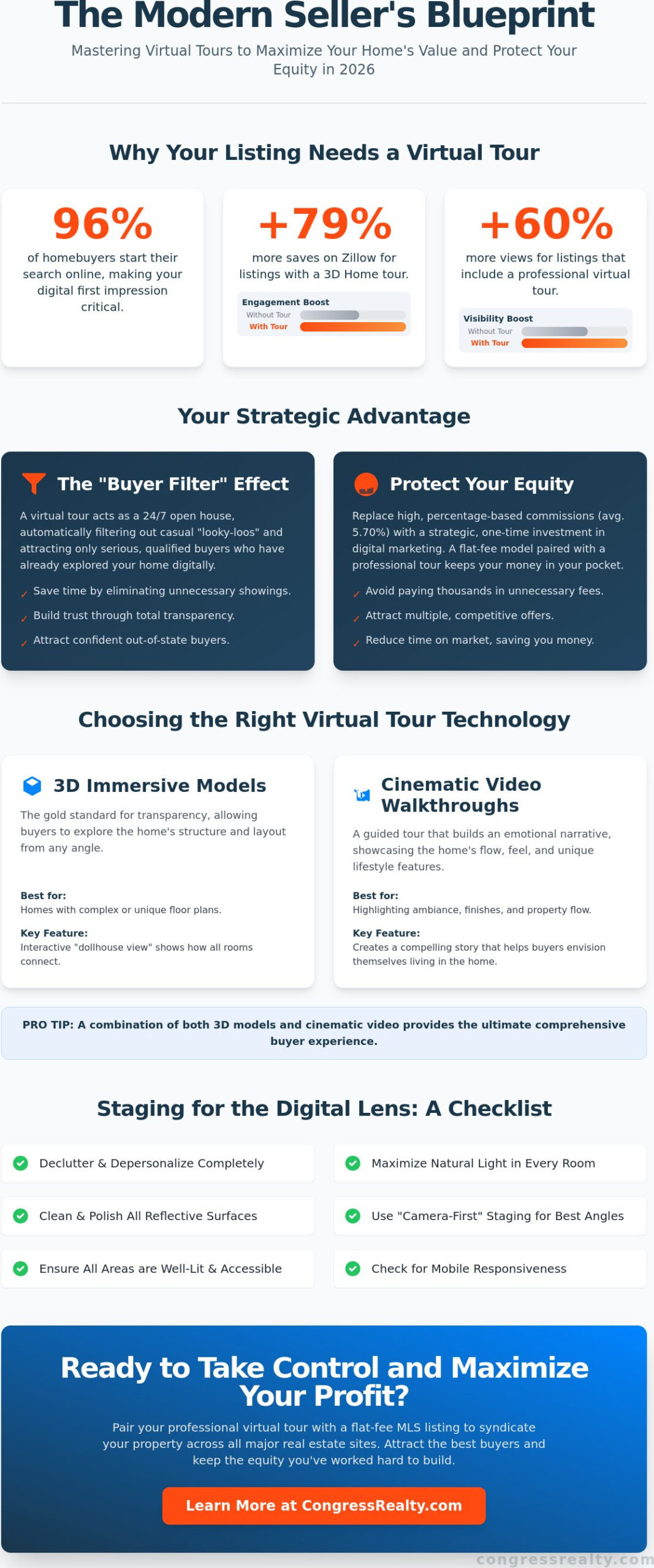
Did you know that listings featuring a Zillow 3D Home tour receive 79% more saves and 60% more views than those without? It’s a staggering reality in 2026, where 96% of homebuyers start their search online. You’ve worked hard to build equity in your property. Watching a 5.70% commission disappear at the closing table feels like an unnecessary loss, especially when you can manage the digital presentation of your home with professional precision.
It’s common to feel anxious about constant foot traffic from unqualified visitors or confused by which 3D tech is actually worth the cost. This guide provides the essential virtual tour tips for selling your home to help you attract serious, motivated buyers while keeping your equity where it belongs. You’ll learn how to master digital property presentation to protect your financial interests and maintain full control of the process. We’ll show you how to leverage professional photography and 3D walkthroughs to create a listing that commands attention on the MLS, replacing high percentage-based costs with a smarter, fixed-fee approach.
Key Takeaways
- Filter out “looky-loo” traffic and save time by using a virtual tour as a 24/7 digital open house that qualifies buyers before they step foot on your property.
- Discover the best virtual tour tips for selling your home, including how to use “camera-first” staging and natural light to eliminate digital dead zones.
- Compare 3D immersive models with cinematic video walkthroughs to choose the technology that best showcases your home’s unique layout and flow.
- Maximize your return on investment by pairing professional photography with a flat fee MLS listing to protect your equity from traditional commission costs.
- Gain full control over your marketing by learning how to syndicate your digital walkthrough across major industry databases and third-party real estate sites.
Why Virtual Tours are Essential for Selling Your Home in 2026
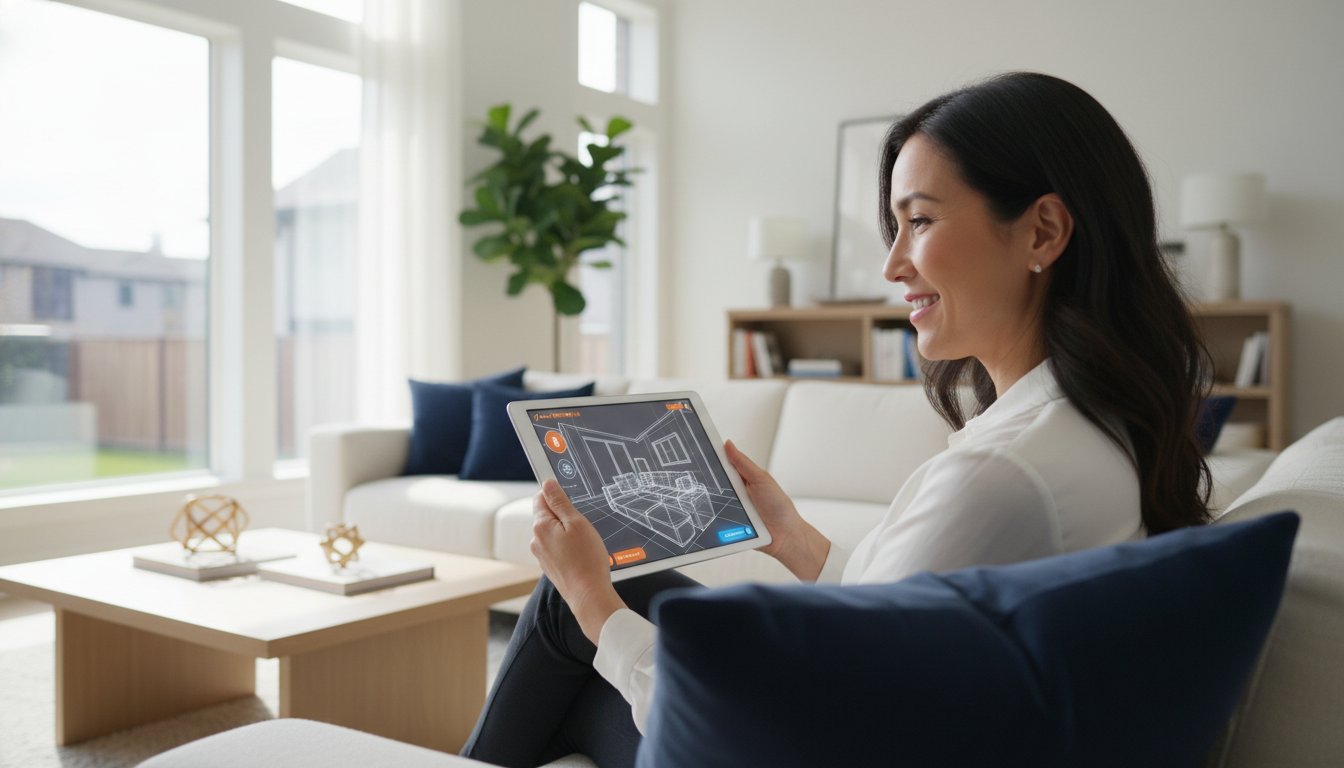
In the current real estate market, your home’s first showing doesn’t happen in the driveway. It happens on a smartphone screen. If you’re looking for virtual tour tips for selling your home, start by reframing what a digital walkthrough actually does. It functions as a 24/7 open house that works for you while you’re at work or sleeping. By the time a buyer requests an in-person visit, they’ve already walked through your kitchen and checked the layout of the primary suite. This digital-first approach is no longer a luxury; it’s the standard for serious sellers who want to maximize their reach.
Understanding what is a virtual tour is critical for any equity-conscious seller. In 2026, buyers view these digital assets as a mandatory requirement. If your listing lacks one, many serious leads will simply scroll past. This is especially true for the growing number of out-of-state buyers who are relocating for work and often make offers sight-unseen. They need the confidence that a high-resolution 3D scan provides to make a high-stakes decision from a distance.
The “Buyer Filter” Effect
One of the greatest advantages of a digital walkthrough is its ability to eliminate “looky-loo” traffic. These are casual browsers who aren’t ready to buy but still require you to stage, clean, and vacate your home for a showing. A virtual tour acts as a pre-qualification tool. It provides total transparency, which builds immediate trust with serious prospects. When buyers can explore every corner of the property online, they experience a sense of immersive ownership. They start mentally placing their furniture in your living room before they ever grab their car keys. This psychological connection leads to higher-quality offers and fewer surprises during the inspection phase because the buyer already has a realistic view of the property’s condition.
Protecting Your Equity through Digital Marketing
Traditional agents often use the promise of “open houses” to justify high commission rates. However, savvy sellers know that a professional digital presence is far more effective and less intrusive. By investing in high-quality digital assets, you bypass the need for expensive, traditional hosting services that eat into your profit. It’s essential to stay informed about understanding commissions when you’re building your marketing stack. Choosing a Professional Photography add-on for your listing isn’t just about aesthetics; it’s a strategic move to protect your equity. A small upfront investment in a professional tour often pays for itself by attracting multiple offers and reducing the time your home sits on the market. You maintain full command of the process while ensuring your listing stands out against the competition on the MLS.
Choosing the Right Virtual Tour Technology for Your Listing
Selecting the right tech for your digital presentation depends on your property’s layout and your target buyer. You don’t need a Hollywood budget to look professional, but you do need to understand the tools available in 2026. High-quality assets are the foundation of any successful Standard or Full Service listing. Whether you choose an immersive 3D model or a cinematic video, your goal is to provide a clear, honest view of the home that encourages a fast offer.
When reviewing virtual tour tips for selling your home, consider how different technologies serve different purposes. 3D models provide a structural understanding of the space, while video walkthroughs excel at building an emotional narrative. Many successful sellers now use a combination of both to provide a comprehensive experience. Beyond the visual style, ensure your chosen platform is mobile-responsive. With the majority of buyers searching on their phones, a tour that crashes or loads slowly will drive away potential leads.
3D Models: The Gold Standard for Transparency
Immersive 3D models, such as those created with Matterport, are highly effective for homes with complex floor plans. These models offer the famous “dollhouse view,” which allows buyers to see the entire home as a 3D structure. This perspective is incredibly helpful for understanding how rooms connect. According to the National Association of REALTORS® virtual tour playbook, providing this level of detail builds trust and reduces the number of basic questions you’ll have to answer. These models also allow for precise digital measurements. If a buyer is worried their sectional won’t fit in the living room, they can use the measurement tool to verify the space themselves.
Video Walkthroughs: Creating an Emotional Connection
Video walkthroughs offer a different advantage by focusing on the “flow” and vibe of the home. Use high-definition 4K video to highlight specific features like the sound of a backyard fountain or the way sunlight hits the breakfast nook. Modern attention spans are short; keep your clips under two minutes to ensure viewers stay engaged. Focus on a logical path through the home, starting at the front door and moving through the main living areas. This format is perfect for social media sharing and can quickly go viral if the production quality is high.
Technical compliance is another critical factor. Most MLS databases require “unbranded” versions of your virtual tours for syndication. This means your tour cannot contain your name, contact information, or any logos. If you upload a branded version to the primary MLS field, it may be rejected or stripped from third-party sites. Always ask your photographer for both a branded version for your personal social media and an unbranded version for your official listing. By following these technical requirements, you ensure your home gets maximum exposure across the entire professional industry network.
Staging Your Home for the Digital Lens: A Checklist
Preparing your property for a 3D scan requires a different strategy than a traditional photo shoot. Because 360-degree cameras capture an entire room simultaneously, you cannot simply shove clutter behind the photographer’s tripod like you would during a standard session. Every corner is visible. When implementing virtual tour tips for selling your home, adopt a “camera-first” mindset. This means looking at your space through the lens of a wide-angle sensor that amplifies both the beauty and the blemishes of a room.
Lighting is your most powerful tool for avoiding “dead zones” in a digital walkthrough. Open every blind and curtain to maximize natural light, as 360 cameras often struggle with the high contrast between bright windows and dark corners. Turn on every light in the house, including lamps and under-cabinet LEDs, to create a consistent exposure. You should also watch out for the “wide angle trap.” While you might think pushing furniture against the walls makes a room look larger, it often creates an unnatural, empty “caved-in” look in 3D. Arrange furniture in small, conversational groupings to help the camera define the scale and purpose of the space.
Virtual Staging: The Low-Cost Alternative
If you’re selling an empty house, AI-powered virtual staging is a game-changer for your equity. In 2026, AI services can deliver professionally staged rooms in under 30 seconds for as little as $1 to $15 per image. This allows you to transform a cold, vacant space into a designer home that resonates with your target demographic. Just remember that transparency is key. You must disclose virtual staging in your MLS listing notes to maintain trust with buyers. Choose a decor style that matches the architecture of the home to keep the digital experience feeling grounded and realistic.
Pre-Shoot Technical Preparation
Technical glitches can ruin a high-end tour. High-reflectivity surfaces like windows and mirrors can “blind” 3D sensors or cause “ghosting” effects in the final render. Clean these surfaces meticulously before the shoot. You also need to remove “trip hazards” for the lens. Hide all power cords, pet bowls, and trash cans. Since the camera sees everything, designate one specific area, like a small closet or the garage, as your “staging dump.” This is where you’ll store all the items you’ve cleared from the rest of the house. Keeping this one area off-camera allows you to maintain a pristine environment throughout the rest of the digital walkthrough.
Professional vs. DIY Virtual Tours: Maximizing Your ROI
Deciding between a DIY approach and hiring a professional is a critical step in protecting your home’s equity. While you want to minimize costs, a low-quality digital presentation can result in fewer offers and a longer time on the market. When looking for virtual tour tips for selling your home, evaluate the property’s price point and your own technical comfort level. For lower-priced properties, a high-end smartphone paired with a stabilizer gimbal can produce acceptable results. However, for most listings, the Professional Photography add-on provides a high-ROI investment that pays for itself by attracting serious buyers quickly. This is a core component of a successful flat fee MLS listing, ensuring your home competes with those represented by high-commission agencies.
Professional assets also significantly impact your “Listing Quality Score” on major platforms like Zillow and Realtor.com. These sites use algorithms to prioritize listings with high-resolution 3D tours and professional media. Better ranking means more views, which leads to more qualified leads. If you are aiming for the highest possible sale price, professional-grade imagery is the most efficient way to prove your home’s value to the market without the need for an expensive traditional agent.
The Hidden Costs of DIY
DIY isn’t always as “free” as it seems. Learning complex 3D scanning software and editing video can take days of your time. There is also the “Amateur Penalty” to consider. Poor lighting or shaky camera work can actually decrease your home’s perceived value in the eyes of a buyer. Additionally, many 3D hosting platforms require monthly subscription fees. For example, some professional-grade software requires ongoing hosting at $20 per month per tour. Professional photographers usually include these hosting costs in their flat-rate fee, saving you the hassle of managing multiple accounts.
Hiring a Pro: What to Look For
If you choose to hire an expert, ensure they understand the specific needs of an independent seller. Ask for a “Media Bundle” that includes high-definition stills, a 3D walkthrough, and interactive floor plans for a single flat rate. It’s also vital to verify that they will provide an “unbranded” link. This is a requirement for MLS compliance, as branded links with contact info will be rejected by the system. Finally, check their turnaround times. You want your media ready for peak search days, typically mid-week, to build momentum for the weekend. Ready to take control of your sale? Browse our professional listing options to find the right fit for your equity goals.
Leveraging Your Virtual Tour with Congress Realty
How do you actually get your digital assets in front of serious buyers? Having the best virtual tour tips for selling your home won’t matter if your link isn’t properly syndicated. When you choose a Standard or Full Service listing, we provide the professional infrastructure to host and distribute your media. The MLS contains a dedicated “Virtual Tour” field designed specifically for these links. Once we enter your unbranded link into this field, your tour automatically syndicates to Zillow, Realtor.com, and thousands of other brokerage sites. This ensures your home maintains the same level of visibility as any property listed by a traditional, high-commission agent.
Congress Realty handles the technical heavy lifting for you. We ensure your assets meet strict MLS compliance standards, which prevents your listing from being flagged or suppressed by local boards. Our transaction management team provides the professional oversight you need to ensure your digital marketing stays on track. You stay in command of the sale while we provide the professional industry database access that makes the process work. It’s a pragmatic, fixed-fee solution that replaces the unpredictable costs of traditional brokerages.
From Digital Click to Electronic Lockbox
The workflow for an equity-first sale is efficient and secure. A buyer clicks your virtual tour and explores the layout. Because they’ve already “walked” the home digitally, they are much more qualified than a casual browser. When they request a showing, you grant access via an electronic lockbox. This sequence significantly reduces the number of “unsupervised” entries into your home. You only open your doors for leads who have already vetted the property online. During the negotiation and escrow phase, the virtual tour remains a valuable reference tool. Buyers can revisit the digital scan to verify room dimensions or show the home to family members, keeping the momentum high through the final closing steps.
Finalizing Your Listing Strategy
The most successful sellers combine a professional CMA with high-end virtual assets to create a listing that stands out. By pricing your home accurately and presenting it with professional photography, you eliminate the need for traditional middlemen. The “Equity-First” model is the smartest way to sell your house without a realtor while maintaining professional standards. You keep your hard-earned profit and stay in total control of the transaction. Ready to maximize your equity and take charge of your sale? Get your home on the MLS today with Congress Realty and start attracting serious buyers immediately.
Take Command of Your Home Sale with Digital Precision
Mastering the digital presentation of your property is the most effective way to filter out casual browsers and focus your energy on serious, high-intent buyers. By applying these virtual tour tips for selling your home, you’ve moved beyond traditional, high-cost marketing methods. You now understand how to choose the right technology, stage for the 360-degree lens, and leverage professional media to stand out on the MLS. This strategic approach doesn’t just sell your home faster; it ensures you remain the primary beneficiary of your property’s value.
You don’t need to sacrifice professional quality to protect your equity. By choosing a smarter path, you can save the traditional 3% listing commission while still accessing professional photography and 3D tour support. With expert transaction management guiding you to a smooth closing, you stay in total control of every detail. It’s time to put your hard-earned equity back in your pocket where it belongs.
List your home on the MLS for a flat fee and save your equity today!
The tools for a successful, independent sale are at your fingertips. Take the lead, showcase your home’s true potential, and enjoy the financial rewards of a smart, intelligence-driven transaction.
Frequently Asked Questions
Does a virtual tour really help sell a house faster?
Yes, a virtual tour is a powerful tool to accelerate your sale. Listings with a Zillow 3D Home tour receive 79% more saves and 60% more views than those without. This increased visibility leads to more qualified leads and faster offers. By letting buyers explore the home digitally, you ensure that only serious prospects request in-person showings, which streamlines the entire transaction and saves you time.
How much does it cost to create a 3D virtual tour in 2026?
Costs vary based on whether you choose professional services or a DIY software approach. In 2026, a professional scanning service for a typical 2,000 to 3,000 square foot home generally costs between $350 and $600. If you prefer to manage the process yourself, software subscriptions range from free plans to around $69 per month. Don’t forget to account for potential hosting fees and floor plan add-ons.
Can I use my smartphone to make a professional-looking virtual tour?
You can produce a high-quality tour using a modern smartphone, provided you use the right tools. A stabilizer gimbal is essential to prevent shaky footage, which can lower your home’s perceived value. While high-end smartphones have excellent 4K sensors, you’ll still need to follow professional virtual tour tips for selling your home, such as maximizing natural light and using a tripod to ensure consistent image quality throughout the walkthrough.
What is the difference between a virtual tour and a video walkthrough?
A virtual tour is an interactive, 3D experience that allows viewers to move through the home at their own pace. This often includes the “dollhouse view” for structural clarity. A video walkthrough is a linear, cinematic movie that highlights the home’s flow and atmosphere. While a 3D tour provides transparency and measurements, a video is better for creating an emotional connection and showcasing the neighborhood’s vibe.
Will a virtual tour make my home look smaller than it is?
A virtual tour won’t make your home look smaller if you arrange your furniture correctly. Avoid pushing all items against the walls, as this can create an unnatural “caved-in” look in 360-degree captures. Instead, group furniture into conversational areas to give the camera a sense of scale. Professional lighting and clear sightlines help the digital lens capture the true volume of each room accurately.
Do I need to disclose if my virtual tour uses virtual staging?
You must disclose virtual staging in your MLS listing notes to maintain legal compliance and buyer trust. While AI-based staging is a cost-effective way to showcase an empty home’s potential, buyers expect transparency. Clearly stating that certain rooms are virtually staged prevents confusion when they visit the property in person. This honest approach builds credibility and ensures your transaction moves forward without unnecessary friction.
How do I add a virtual tour to my MLS listing without a traditional agent?
You can add a virtual tour by using a professional listing service that provides access to the MLS for a fixed fee. We provide a dedicated “Virtual Tour” field for your unbranded link, which then syndicates to major third-party real estate sites. This allows you to manage your marketing independently without paying a traditional 3% commission. It’s a pragmatic way to maintain full control over your digital assets.
Are virtual tours safe for my privacy and security?
Virtual tours are safe as long as you prepare your home for the digital lens with privacy in mind. Remove personal photos, sensitive documents, and high-value portable items before the shoot. Since the camera captures a 360-degree view, ensure you haven’t left any identifying information visible in any room. Taking these simple precautions allows you to market your home effectively while protecting your family’s personal space.